Introduction:
WordPress is the most commonly used CMS all over the world by startups and entrepreneurs due to its open source, highly customizable and beginner-friendly architecture. However, the questions regarding WordPress security, such as “How to secure a WordPress website?” or “How can I secure WordPress without Plugins?” or “How to secure my site without WordPress Security Plugins? Continue to draw attention. Here in this guide, we have targeted bloggers, businesses, developers and agencies to help them secure a WordPress website from common WordPress security vulnerabilities and cyber threats.
Quick Answer:
Yes, You can secure WordPress without plugins. Here’s How…
Keep Your WordPress Themes and PHP Updated
Use Strong Passwords, MFA And Choose A Secure Hosting Provider
Set Proper File Permissions, Enable HTTPs, And Take Regular Backups
Use Built-in tools and Server level Security Measures To Reduce The Risks of Attacks
Here, in this blog, we will learn about what makes a WordPress website get hacked, how to secure a WordPress website without plugins, and the important WordPress settings to configure first, Ways to secure a WordPress website without plugins, and free tools to improve security without plugins. Let’s dive in…
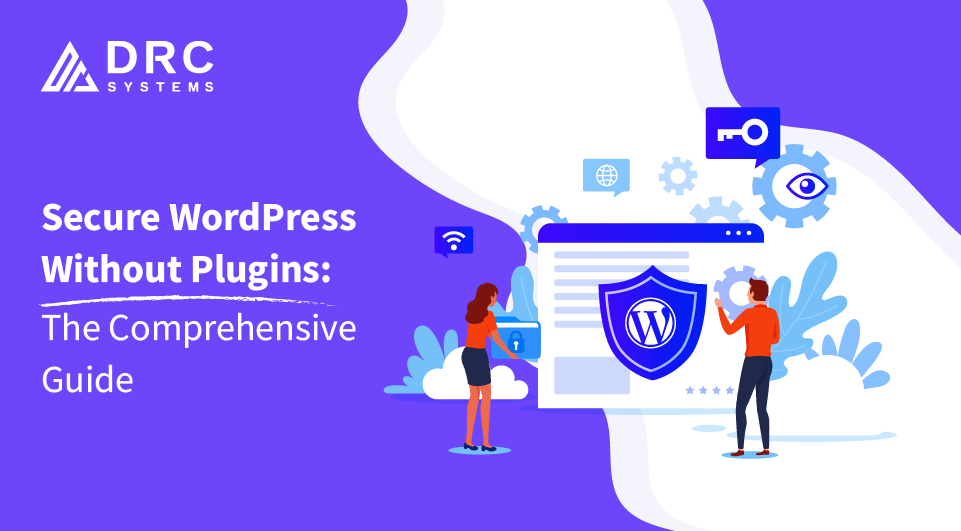
How to Secure WordPress Site Without Plugins
Why WordPress Websites Get Hacked:
The primary concern about WordPress CMS is that it comes with common vulnerabilities if not managed properly. This allows any unmanaged WordPress site to easily get targeted by threat actors and become a victim of a cyber attack. Here are some of the reasons that risk your WordPress website…
- Outdated WordPress core
- Vulnerable themes and plugins
- Weak passwords
- Poor hosting security
- Brute force attacks
- Malware and backdoors
- Misconfigured server settings
Can You Secure WordPress Without Plugins?
Yes, you can secure your WordPress website without plugins.
What plugins can do
Plugins can help you extend features of your digital platform, such as Web, Applications, or audio editors, without changing the code architecture.
What you can accomplish without plugins
You can create a fully functional website without the help of WordPress plugins using core WordPress software and the Gutenberg block editor.
When using a security plugin still makes sense
You can use a security plugin when you lack built-in server-level protection, and server administrative experience, so that you can monitor security logs through a centralized dashboard.
Essential WordPress Security Settings You Should Configure First
Enable automatic core updates
Minor updates and security updates are already enabled in all WordPress installations, which you can check by going to the admin dashboard – Dashboard – Updates
Keep themes updated
Go to Appearance settings and enable automatic updates.
Delete unused themes and plugins
Go to admin dashboard appearance – themes – delete unused themes, then plugins – installed plugins – delete unused plugins.
Disable file editing from the dashboard
Add define( ‘DISALLOW_FILE_EDIT’, true ); this single line of code to your website to disable file editing from the dashboard, as WordPress does not have a toggle switch.
Limit administrator accounts
You can change your account to a lower tier or add a security plugin to restrict access.
Use HTTPS everywhere
Make sure you have activated the SSL certificate for your WordPress website.
Turn on two-factor authentication (if supported by host/identity provider)
Make sure you have enabled two-factor authentication for your WordPress platform.
20 Ways to Secure WordPress Without Plugins
1. Use Strong Passwords
You need to use strong passwords with special characters to protect your data privacy and avoid reusing passwords. Use password managers which create encrypted safe layers to secure and store all your logins and personal information. Create a set of rules and guidelines to protect your website and enhance digital security.
2. Use Secure Usernames
Do not use common usernames and passwords such as admin & admin@123 on your website. Change your website user name from admin to something else and reduce the chances of attacks on your website. Rename your administrator’s and editor’s accounts, replacing common usernames and passwords.
3. Enable Multi-Factor Authentication Without Plugins
Make sure your multi-factor authentication is enabled without plugins using a hosting panel or identity provider to ensure an additional security layer. With the assistance of MFA, you can reduce the chances of brute force attacks and protect your WordPress website. Verify user identity and device security before granting access by choosing Cloudflare zero trust network access(ZTNA).
4. Choose Secure WordPress Hosting
You have to combine Cloudflare for edge/CDN, use native operating system tools, standalone portable applications or remote-based analysis in your WordPress hosting. Make sure your website operates under its own dedicated sandbox environment to prevent cross-site contamination.
5. Keep WordPress Core Updated
You need to keep the core of your WordPress updated by performing minor updates, addressing version format, risk levels, and following security best practices. You can apply manual code-level fixes, server configurations and core file updates for security patches.
6. Keep PHP Updated
You need to update your legacy WordPress web applications with advanced and supported PHP versions to boost the performance and security of your WordPress platform. You can ensure the long-term stability of your website by updating PHP, making your website fast, secure, stable and future-proof.
7. Install Themes Only From Trusted Sources
Do not compromise your website security by adding nulled themes from third-party sources, as they come with unknown vulnerabilities. Make sure you verify the reputation of the developer or IT firm you are working with to protect the data and privacy of your website.
8. Remove Unused Themes and Plugins
Remove inactive plugins and themes from your WordPress library to ensure they do not cause trouble for your WordPress platform. Ensure your website does not have any outdated components & functionality in order to prevent them from becoming attack vectors.
9. Disable XML-RPC If Not Needed
If your WordPress website doesn’t need an xmlrpc.php file to communicate with external applications to remotely control your website, then disable it since XML-RPC is the primary target of threat actors to exploit a website by abusing endpoints to bypass security measures.
10. Disable File Editing
Use define (‘DISALLOW_FILE_EDIT’, true); security constant code snippet for your WordPress to completely disable themes and plugin code editors from your WordPress dashboard to enhance security.
11. Enable a Web Application Firewall
You need to enable a web application firewall for your WordPress website to route traffic through a cloud-based DNS firewall and harden the server. It helps you prevent performance drops and blocks malicious traffic.
12. Monitor Security Logs
Make sure you are monitoring the security logs of your website and keep a report of access logs, error logs and login history to prevent unauthorized access and enhance the security of your WordPress platform.
Free Tools That Improve Security Without Installing WordPress Plugins
| Tool | Purpose |
|---|---|
| Cloudflare | Firewall + DDoS |
| Fail2Ban | Login protection |
| cPanel Security Features | Server security |
| Hosting firewall | Malware protection |
| GitHub | Version control |
| UptimeRobot | Monitoring |
Conclusion:
WordPress is a commonly used open-source platform that allows businesses to create blogs, websites, web applications and SaaS platforms easily and helps them extend their functionality via plugins, which come with common vulnerabilities. If you are bound to follow the security best practices and steps discussed in the blog, you can protect your website without plugins. Connect with our WordPress developers to craft secure CMS solutions!